Sunday, May 31, 2009

assignment 2 lib 2.0

To begin this project I created an account with Wordpress although apparently, at some point in the recent past, I already had an account. The registration was super simple but I was quickly flummoxed as to how to toggle between my dashboard and the blog. Through a fair amount of trial and error, I figured it out. I then posted a general check-in to the group followed by a short bio with a picture. Posting was straightforward and I had to go back and edit a few things I had written and add tags, both of which were no problem. I realized that I was supposed to post my bio under the team bio page and but when I edited my bio post I did not see where I could change that category. I asked my team for ideas on how to change it and when Suzanne posted her idea for a solution I figured it would be a snap to fix the next day. Well I forgot about it the next day and when I did go back to change it a full day later I did not see what she was talking about. I fiddled around with that for a good bit and asked my husband to help me figure it out but we were both stumped.

I learned more about the program just by poking around and playing with the themes and add ons but I never did figure out how to change the post category. I also misunderstood what the difference between what add ons/plugins/widgets are. I thought a blog roll would be nice to have as I often seek those out on blogs that I like. So I added two blog listings and created short descriptions of the blogs (librarian.net and tametheweb.com) and then did the preview and .... they weren't there. Again, this seemed like a it should be terribly obvious but I couldn't figure out why it wasn't appearing on the blog. Several head slaps later I realized that I had not added the blogroll widget. So I had been editing it but it wasn't actually activated or added or however you say that. :) I thought the themes were a little boring but the basic ones were easy to manipulate. The one our group picked,Arclite, was the nicest looking of the basic lot but with more time allotted for the project I probably would have pursued adding a different one. I did download a few I thought were interesting but could not figure out how to upload them. Yes, there is a definite pattern of "Lisa gets stumped easily with WP" in this assignment. I enjoyed working with my teammates and found their comments helpful. They added some very cool widgets and plugins and I had fun playing around with them (especially the add to any plugin)and posting things to this blog as well as my other blog (librarytechnogeekery.blogspot.com).

Overall I learned a lot about Wordpress and am glad to have had this short experience with it. I would probably want to get a book on the subject if I was planning on using it professionally seeing as I have a steep learning curve.

http://www.valdosta.edu/~foguz/mlis7505/team5/
http://www.valdosta.edu/~foguz/mlis7505/team5/?cat=18

Struggling to "get" Wordpress

For some reason or another Wordpress just doesn't make sense to me visually. I have spent a lot of time this week hunting and pecking around the site to do the most basic of things. I never could figure out how to move a post from one category to another! On the other hand, using blogger was a no brainer. It's very simple and the command words make sense to me. I felt like a reasonably intelligent person while using it. Wordpress, on the other hand, makes me feel like a dunce. I know it's supposed to be simple and user friendly but this user feels like she's banging her head against a wall. I really hate feeling like I'm spending a lot of time doing something that should be easy while I have a bazillion other things to do in class. Grrrrrrrrr.

Sunday, May 24, 2009

Assignment 1

Part 1: Blogging
I found this part of the assignment refreshingly fun and straight forward to use. I created a blog named librarytechnogeekery.blogspot.com which took virtually no time at all to get up and running. I already had a google account and understood how blogspot basically worked. I had fun fine tuning the settings and backgrounds and then moved onto adding gadgets and getting a feel for the different pertinent and not so pertinent add ons that I could have on my blog. I had never used the "follow blog" button before and got a little confused as to what the difference between rss feeds and following blogs was. It's still a little gray. :)
http://librarytechnogeekery.blogspot.com/

Part 2: RSS feeds

The regular rss feed was no problem to do but creating a stand alone rss feed on rapidfeeds was a little confusing to me. I created an account, tied it to my blog but didn't realize that I wasn't finished until I put in specific blog posts and a description of those posts. I think I understand it better now. http://feeds.rapidfeeds.com/23471/ http://librarytechnogeekery.blogspot.com/feeds/posts/default

Part 3: Online RSS aggregator
I have been using the Thunderbird rss aggregator so the google aggregator was new to me. It's actually easier to use than my thunderbird aggregator and I set it to my default. I now have lots of feeds for my classmates blogs, the MLIS blog and library blogs that I've discovered through this class.

Part 4: Wiki
Describe main characteristics of the library and goal of the wiki: This wiki is for a large public library system (Dekalb County Public Library) that contains 26 individual branches and serves a major metro Atlanta county. The wiki is to be used for staff purposes only and will remain internal. The goal of the wiki is to create both uniformity and information sharing between the branches in regards to both policy and workflow issues.

Identify the library's requirements for a wiki: Nearly 200 employees will have access to this wiki with varying degrees of technical expertise. The software must be simple to use and no code writing should be required in order to post to the wiki. It should be reasonably flexible, large and easy to use. Pages should be archived so that employees can review information as necessary. The software will be maintained by a small staff of IT folks but will primarily be worked on by the library staff. Due to budget constraints, it needs to either be Open Source or low in cost.

Choose a wiki that meet the library's requirement: After narrowing it down to a choice between PhpWiki, MojoMojo and WackoWiki, I chose PhpWiki because it contained the following criteria: installable software, WYSIWYG editing, page history, uses a database, and is free/OSS.

Saturday, May 23, 2009

Second Life. Is it better than the first?

Some smart person in my class said she was already busy enough in her life and didn't need to add a second one. I completely agree. Is Second Life cool for people who want to work together on a project in a virtual world when the concrete one isn't feasible? Sure. Can it help to build networks and forge new relationships between people and organizations? Yup. Will it have broad appeal to the masses in the distant future? It could happen. But for now, it just seems irrelevant to the broad spectrum of public, private and academic libraries. Maybe a small business library with a large budget could provide the resources to train a few librarians who are need to use Second Life to work on a very specific problem. Even with that, messing around with avatars, accessories (Samurai swords anyone?) and a semi-real currency system seems like a lot to mess around with without much payoff. I can think of a much more streamlined way to network and forge new relationships without all the hoopla. Old fashioned conferences, video conferencing, Wikis, blogs and this little invention called the phone all work pretty darn well for these sorts of things.

So for now, like my classmate, I'm gonna stick the the life I have right here, right now.

At last, a great solution to a timely problem

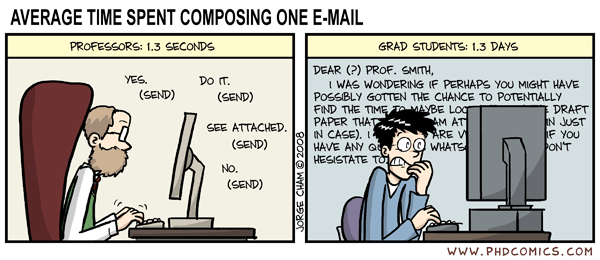
I figured out why I don't like Twitter. It's because it takes too long to tweet. Here's a great solution for those of us who are too time crunched to tweet.

Twittering...whatever

No. Seriously. Whatever. At the Evergreen conference there were dozens of new technology junkies all tweeting away about OSS and libraries. I figured if anyone had something interesting to tweet about, this group would have 'em in spades. When I got home, I did a search on twitter for anyone tweeting about the conference over the last few days. Do you know what I found? Lots and lots of banal, uninteresting, often nonsensical statements about the open source ils-s and libraries. None of it helped. None of it inspired me to learn more. No salient points were given. Nothing learned and definitely, nothing gained. I think this video clip says it all.

Friday, May 22, 2009

An amazing conference

I was lucky enough to attend the first annual Evergreen conference. From the Evergreen website:

Welcome.

Don't miss the first-ever Evergreen International Conference, May 20-22, Athens, Georgia! See the conference website for details, or visit the Conference wiki for yet more information.

Evergreen is an enterprise-class library automation system that helps library patrons find library materials, and helps libraries manage, catalog, and circulate those materials, no matter how large or complex the libraries. As a community, our development requirements are that Evergreen must be:

  • Stable, even under extreme load.
  • Robust, and capable of handling a high volume of transactions and simultaneous users.
  • Flexible, to accomodate the varied needs of libraries.
  • Secure, to protect our patrons' privacy and data.
  • User-friendly, to facilitate patron and staff use of the system.

Evergreen is open source software, freely licensed under the GNU GPL.

Want to learn more? Visit the Frequently Asked Questions or search the site. Or chat with us live.

Sunday, May 17, 2009

And is this REALLY a constructive use of our time?

The Beginning (of class, at least)

Dear Dr. O. wants us to blog about our experiences with a) the class: Applied Technologies in Library Practice b)those newfangled web 2.0 technologies and c) our expectations of said class.

So let's see...my background. I have a nodding acquaintance/regular relationship with some of the technologies we'll be learning about: RSS feeds(love those), social networking (wait...I need to go check my facebook account for a sec...), social bookmarking (I have a delicious account but don't use it much), mashups (???? never heard of 'em), twitter (I'm on it but think it's sorta dumb for personal use), Wikipedia (what was life like before it existed??) and lastly, Second Life, which seems like a complete waste of time to me. So there you have it. I know a bit about the other technologies we will discuss in the later modules and quite a bit about open source software as my husband is the program manager for PINES and he eats and breathes OSS. :)